Creating an animated manga with GPT Image 2.0 and Claude Code
2026-04-27I asked Claude Code to generate a shonen-style manga page about a pizza delivery guy who takes his job too seriously, using GPT Images 2.0 and my OpenAI API key. It went pretty awesome, actually. I was very impressed.
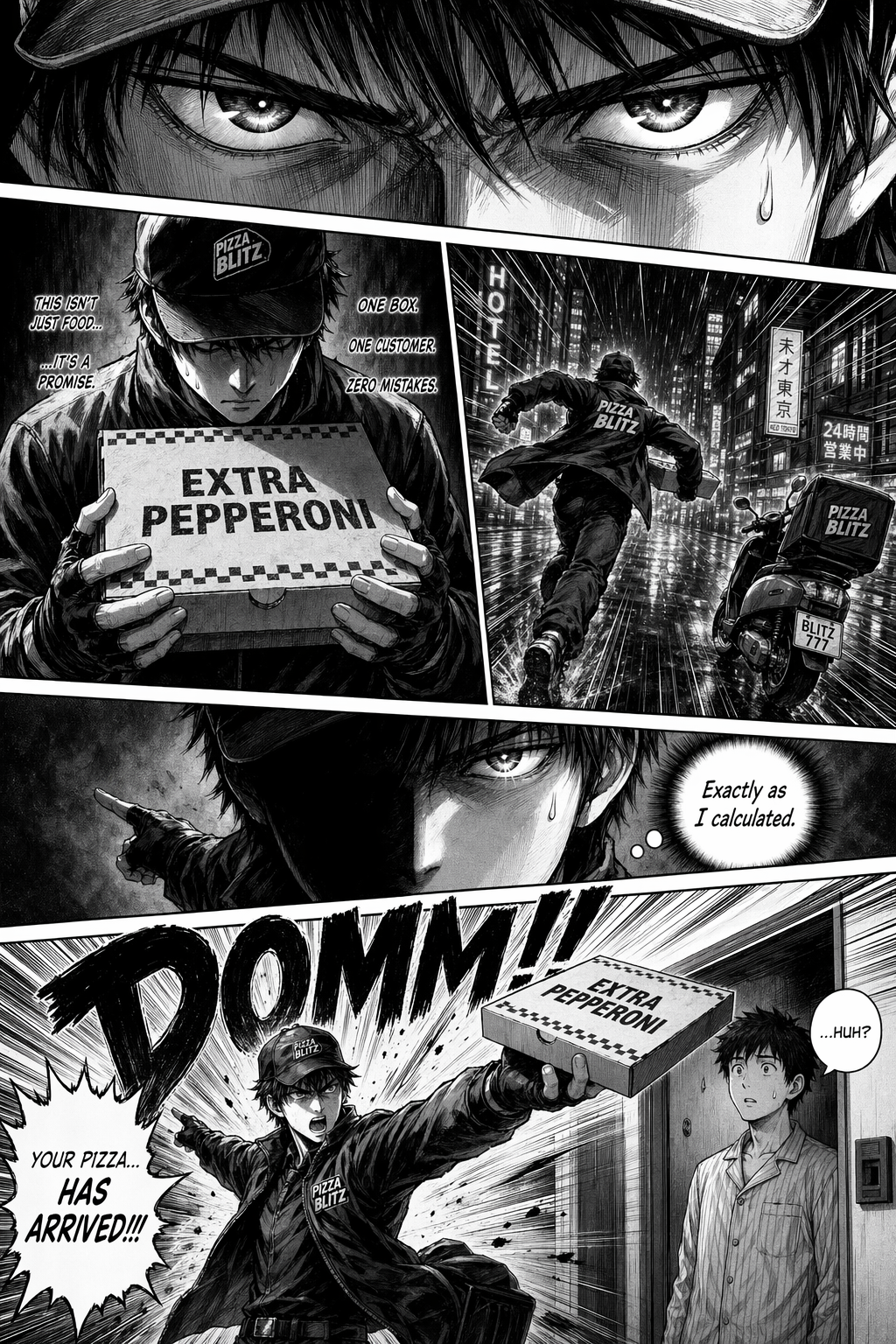
Then I wanted to see if I could turn that single generated page into a little motion comic. The ending result looked like this:
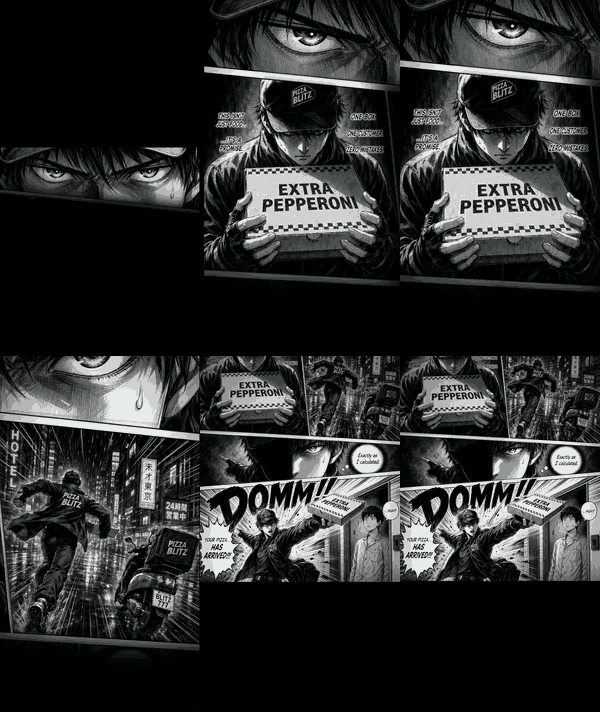
You can watch the final video on TikTok here.
The basic pipeline was:
- Detect the panels
- Reveal the panels in sequence
- Pan and zoom the camera between them
- Add a little bit of foreground motion
- Generate voiceover and sound effects with elevenlabs
The first thing I needed, and what ended up being the most difficult part of the whole thing was identifying and isolating the individual panel geometry. To dim unread panels and center the camera on each panel, I needed a polygon for every panel on the page.
I started with classical computer vision approaches: thresholding, Hough lines, watershed, flood fill, edge following, and sampling gutter colors. Unfortunately, none of them were reliable enough for manga-style pages.
Manga panels are just annoying for this. They have angled gutters, missing borders, art that bleeds to the edge, dark panel interiors, off-white gutters, and boundaries that are often more semantic than purely visual.
Then I had an idea - what if I hand the manga page back over to the image model as an image prompt, and ask it to generate a black and white mask for the panels?
"Output a binary diagram the same size as the input image. Fill every comic panel interior with pure white. Fill all panel borders, gutters, and outside areas with pure black. No grayscale. Same resolution as the input."
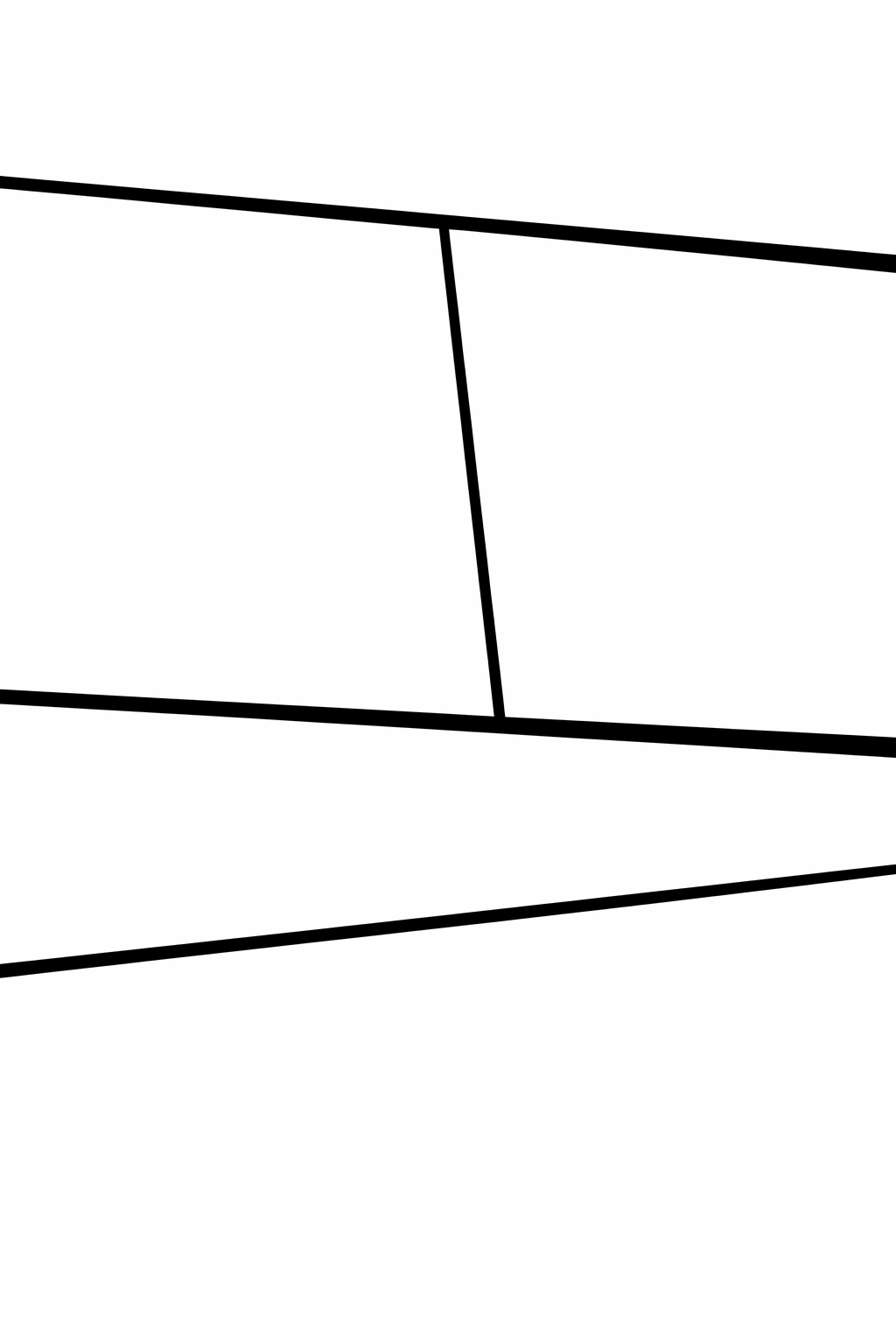
That worked surprisingly well. The model wasn't even doing edge detection. It was interpreting the page layout and returning a semantic panel mask.
Even though this felt like an elegant solution, the mask still needed cleanup. The generated boundaries were approximate, often off by about 5-10 pixels. I used Claude Code to write a Python script that extracts rough polygons from the mask and snaps their edges toward the real panel gutters, now back to using traditional computer vision. The script walks along each edge and searches for the strongest local image gradient. But now, the problem has been narrowed down so much that traditional computer vision tech could do the job well and reliably.
The useful pattern here was:
- Use the image model for rough semantic segmentation.
- Use classical CV for precise pixel alignment.
Now that we have a good mask, we can actually get to the meat and potatoes of the animation. For the actual animation, I used Hyperframes to render an HTML composition with a GSAP timeline to MP4. The composition was a single HTML file with:
- The generated page image
- An SVG overlay containing one polygon per panel
- Black fills over unread panels
- A GSAP timeline controlling camera movement and panel reveal
Camera motion was CSS transform: scale(...) translate(...). Each timeline step moved the camera to a panel and faded out that panel's black overlay.
One implementation detail mattered: with transform-origin: 0 0, changing scale also changes the apparent translation. A naive (scale, x, y) tuple drifts during push-ins. The fix was to compute the translation from the target panel centroid and target scale, so the panel stays centered regardless of zoom level.
Then I tried to add small foreground motion. Not real animation, just enough to make the page feel less static.
The first attempt was simple parallax. It did not work. The source image is flat, so moving the whole image just makes the camera feel unstable.
So I used the same mask-generation trick again, this time asking GPT Images 2.0 to separate characters and held objects from the background.
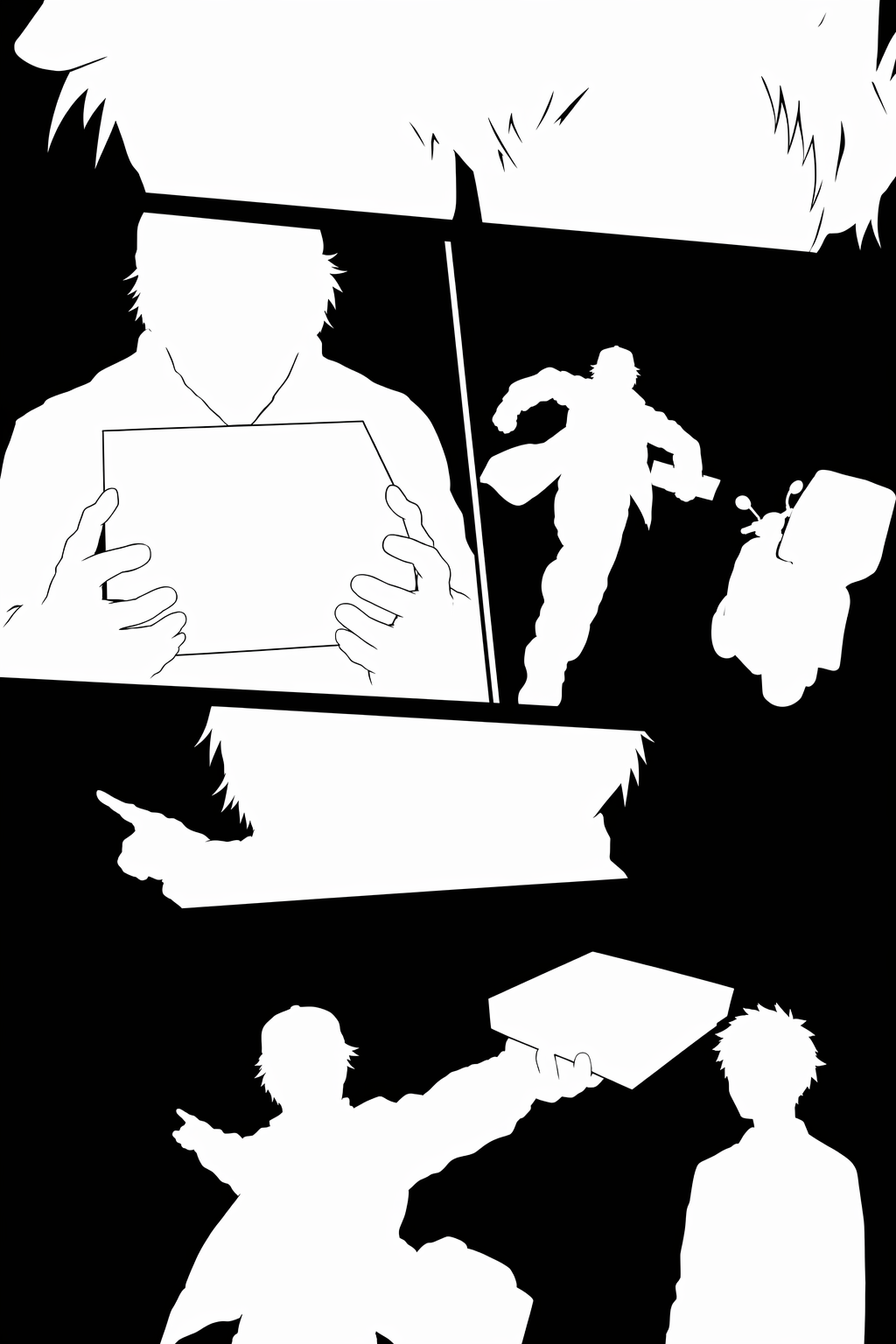
From that mask, I cut foreground components into transparent PNG layers and placed them over the original page.
That immediately exposed the main problem: the character still exists in the original background. If the foreground cutout moves even a few pixels, the original sharp character underneath becomes visible as a doubled silhouette.
The cheap hack I landed on was to just blur the character regions in the background image. I dilated the foreground mask, applied a Gaussian blur inside those regions, and kept the rest of the page the same.
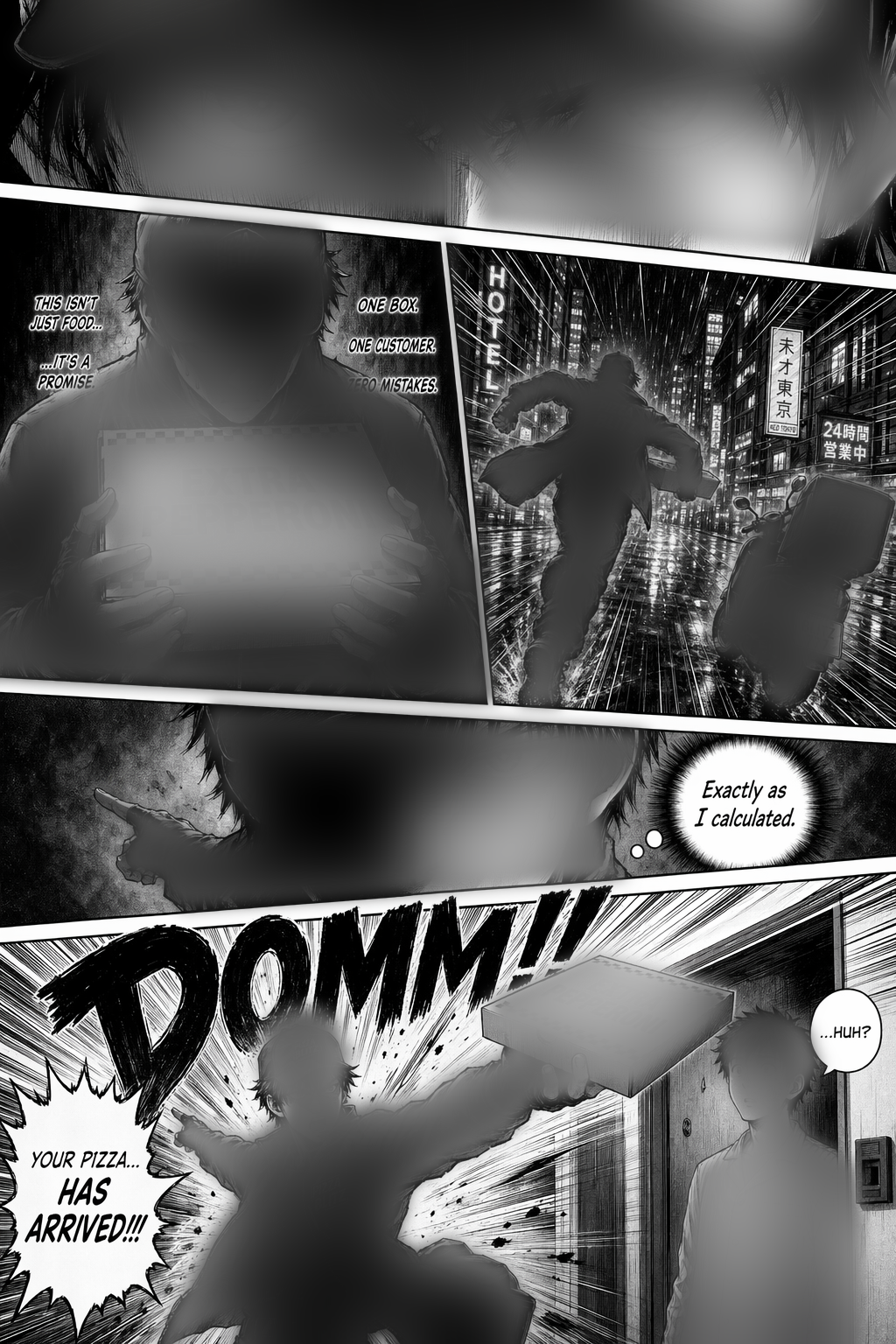
When the foreground cutout is aligned with the blurred region, the blur is covered. When the cutout moves slightly, the exposed background looks more like motion blur than a duplicated character.
The blur trick has a narrow useful range. For this page, the practical limit was about:
- 1% scale change
- 8 pixels of translation
More than that, you need real inpainting, which I don't feel like doing here.
For voice and sound I used ElevenLabs v3.
The first TTS approach was to generate short clips separately and concatenate them. That sounded pretty bad, though. The better approach was one TTS call per continuous narration block, with multiple sentences in a single input string.
The speed parameter was not useful for the v3 model in my tests. When a line needed to fit a timing window, I changed speed afterward with ffmpeg's atempo filter.
The most useful control mechanism was v3 audio tags. Tags like [whispers] and [shouts] in the input text were more effective than trying to tune sliders.
The main thing Claude Code helped with was iteration. I could say something like "make the runner shrink slightly during this panel", have it edit the HTML composition or helper scripts, render a new MP4 through Hyperframes, and then compare the output.
Most of the work was small glue code:
- Polygon cleanup from the generated panel mask
- Foreground connected-component extraction
- Blurred-background generation
- Composition edits for GSAP timing
This is the kind of stuff that would normally be annoying to write by hand because it is narrow, disposable, and full of library details. With a coding agent, it becomes cheap enough to try. (The same could be said about this whole project, actually :P)
The final pipeline ended up as:
- Generate the manga page.
- Generate a panel mask.
- Extract and refine panel polygons.
- Build an HTML/GSAP composition.
- Render camera moves and panel reveals through Hyperframes.
- Generate a foreground mask.
- Extract foreground components.
- Blur foreground regions in the background plate.
- Add small foreground tweens.
- Generate and mix voice and sound effects.
You can see this as a GitHub repo as a reusable template / skill for animated manga page creation at motion-manga
Cool what you can do these days when you stitch together the various new AI tools. This is only scratching the surface.
More notes
- KISS web apps in the age of AI agents2026-05-03
- GrobPaint2026-03-15
- Super Mario 64's elegant collision system2025-12-31
- Maybe stocks aren't a great investment2025-12-03
- Lisp Visualization Test2025-10-15
- Local LLM Optimism2025-09-14
- Iteration Time is (arguably) the Most Important Thing2025-09-12
- Everybody just wants immediate mode2025-09-10